Migrating Xamarin.Forms to .NET MAUI: Lessons Learned

Microsoft officially ended support for Xamarin.Forms on May 1, 2024, making migration to .NET MAUI a strategic priority for organizations maintaining mobile applications. While .NET MAUI offers a unified development platform for Android, iOS, macOS, and Windows, migrating an existing Xamarin.Forms application involves much more than updating package references. Architecture, third-party libraries, navigation, dependency injection, and build pipelines all require careful planning. This article shares practical lessons learned from real-world migration projects and outlines a structured approach for a successful transition.
Why Migrate to .NET MAUI?
Organizations continue to modernize their mobile applications for several important reasons: Microsoft no longer provides updates or support for Xamarin.Forms, .NET MAUI is built on the latest .NET platform with long-term support, application performance and startup time are improved, tooling in Visual Studio is better, and organizations gain access to the latest Android and iOS platform features along with long-term maintainability and security.
Migrating now reduces technical debt and prepares applications for future platform updates.
1. Outdated NuGet Packages
Many Xamarin.Forms applications rely on third-party packages that are no longer maintained. Typical examples include media plugins, image caching libraries, PDF viewers, barcode scanners, maps, and device utilities.
Before migration, create an inventory of all packages and verify whether .NET MAUI-compatible versions exist.
2. Custom Renderers
Many enterprise applications use custom renderers to achieve platform-specific behavior. In .NET MAUI, renderers are replaced with Handlers, requiring many custom components to be rewritten.
Migration effort depends on the number of custom controls, the platform-specific implementations involved, and the extent of native Android/iOS integrations.
3. Navigation Architecture
Navigation often requires significant changes. Applications using MasterDetailPage, NavigationPage, TabbedPage, or Prism Navigation should evaluate whether adopting Shell Navigation or a custom navigation service better fits the application's architecture.
4. Dependency Injection
Xamarin.Forms commonly relied on DependencyService or Service Locator patterns. .NET MAUI includes built-in dependency injection using the Microsoft.Extensions framework.
Migrating to constructor injection improves maintainability and testability.
5. Build Pipeline Updates
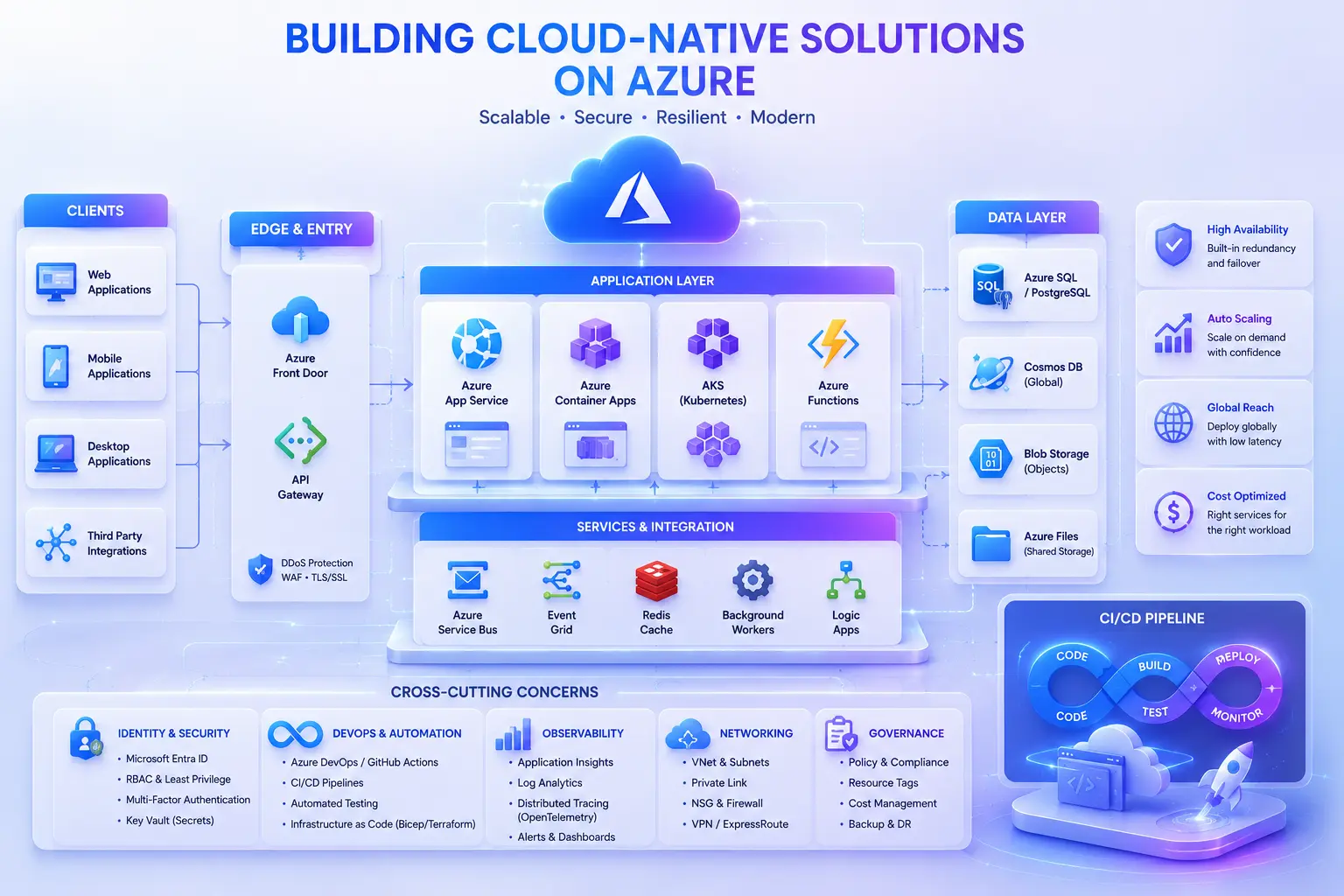
Migration also affects DevOps. Typical changes include new .NET SDK versions, updated Android workloads, iOS build requirements, Azure DevOps pipeline updates, GitHub Actions updates, and signing certificate configuration.
Planning CI/CD updates early helps avoid deployment delays.
Recommended Migration Strategy
Rather than performing a complete rewrite, use an incremental migration approach.
Phase 1 – Assessment
Evaluate project structure, third-party libraries, platform-specific code, technical debt, build pipeline, and existing architecture. Deliverable: Migration Assessment Report.
Phase 2 – Upgrade Core Infrastructure
Upgrade the .NET SDK, solution structure, project files, and NuGet packages. Validate that the application compiles before addressing UI issues.
Phase 3 – Migrate UI
Update XAML pages, custom controls, renderers, platform services, fonts, images, and resource dictionaries. Test continuously during migration rather than waiting until the end.
Phase 4 – Modernize Architecture
Migration is an opportunity to improve application quality. Recommended improvements include built-in Dependency Injection, MVVM improvements, logging, configuration management, secure storage, API abstraction, and background services.
Avoid carrying forward unnecessary legacy code.
Phase 5 – Testing
Perform comprehensive testing across Android, iOS, tablets, different screen sizes, performance, offline functionality, push notifications, and authentication. Mobile testing should cover both functional and real-device scenarios.
Lessons Learned
After multiple migration engagements, several patterns consistently emerge: plan before coding, since a detailed assessment significantly reduces migration risk; replace unsupported libraries early, since waiting until the end often causes unexpected delays; modernize while migrating, because it provides an opportunity to improve code quality rather than simply reproducing the existing application; update DevOps alongside development, since build pipelines frequently require as much attention as application code; and test incrementally, since small, continuous validation cycles are far more effective than large-scale testing after migration.
Benefits After Migration
Organizations typically experience improved application performance, better developer productivity, easier maintenance, simplified dependency management, better long-term support, access to the latest Microsoft ecosystem, and reduced technical debt.
Is Migration Always the Right Choice?
Not necessarily. For some applications, especially those with extensive platform-specific customization or complex UI requirements, a different modernization strategy may be more appropriate. Options include migrating to .NET MAUI, rebuilding selected modules, adopting a hybrid architecture, developing native Android and iOS applications, or redesigning the solution around modern cloud APIs.
The best approach depends on business goals, timelines, and long-term maintenance considerations.
Conclusion
Migrating from Xamarin.Forms to .NET MAUI is more than a framework upgrade — it's an opportunity to modernize architecture, streamline development practices, and prepare applications for the future. A well-planned migration minimizes risk, reduces technical debt, and positions organizations to take advantage of the latest .NET ecosystem and Azure cloud capabilities.
Whether you're maintaining an enterprise mobile application or planning a broader modernization initiative, investing time in assessment, architecture, and testing will significantly improve migration outcomes.
At Zhoosoft, we help organizations modernize legacy applications by migrating Xamarin.Forms solutions to .NET MAUI, updating cloud architecture, and optimizing CI/CD pipelines for Azure. If you're planning a migration project or assessing your existing application, we'd be happy to discuss your requirements and recommend a practical modernization strategy.
Want to talk through this for your organization?
We help teams plan and deliver work like this. Request a consultation and we'll talk through your specific situation.
Request Consultation